Introduction
For many manufacturers and distributors, after-sales is treated as a support function. In reality, it is one of the most reliable revenue engines in the business.
Spare parts availability decides whether a service request turns into a quick resolution or a missed opportunity. When parts are out of stock, service teams wait, customers get frustrated, and revenue is delayed or lost. Over time, these gaps quietly eat into margins and brand trust.
Most after-sales problems do not come from lack of effort. They come from disconnected systems. Inventory is managed separately. Service teams work with partial information. Demand for spares is guessed, not planned.
Stockouts and excess inventory coexist, and leadership has little visibility into what after-sales is actually earning.
This is where ERP changes the equation.
Key Takeaway
After-sales and spare parts management directly impact service revenue, customer satisfaction, and long-term profitability. Stockouts, delayed service, and missed billing usually stem from disconnected systems rather than execution gaps.
ERP addresses this by linking spare parts inventory, service workflows, and revenue tracking into a single system. When after-sales operations are planned and run through ERP, manufacturers move from reactive firefighting to predictable service delivery, reduced stockouts, and consistent after-sales revenue growth.
In summary:
- After-sales is a revenue function, not just a support activity
- Spare parts availability determines service speed and customer satisfaction
- Disconnected systems cause stockouts, delays, and revenue leakage
- ERP connects service demand, inventory planning, and billing into one flow
- The right ERP design turns after-sales into a scalable profit center
An ERP system connects spare parts, service operations, and revenue into one flow. Instead of reacting to service issues, businesses can plan for them. Instead of guessing demand, they can forecast it. Instead of treating after-sales as a cost, they can run it as a profit center.
In this article, you will see how ERP helps manufacturers reduce spare parts stockouts, improve service performance, and unlock consistent after-sales revenue, and why the right implementation partner matters as much as the system itself.
Why After-Sales and Spare Parts Matter More Than Ever
After-sales is no longer just about fixing issues. For manufacturers and distributors, it is a long-term revenue stream that often delivers higher margins than the initial product sale.
Customers expect fast service, minimal downtime, and readily available spare parts. When these expectations are met, service contracts renew, repeat orders increase, and customer relationships deepen. When they are not, even a good product loses value in the customer’s eyes.
Spare parts play a central role here. A delayed or unavailable part can turn a simple service request into days of downtime. That delay affects customer satisfaction, technician productivity, service-level agreements, and revenue recognition.
As installations scale, the volume and variety of spare parts increase. Manual planning and disconnected tools struggle to keep up with this complexity.
Companies that treat after-sales as a strategic function invest in systems that connect service demand, parts availability, and revenue tracking. Those that do not often face recurring stockouts, missed SLAs, and unpredictable service revenue.
Common After-Sales Challenges Manufacturers Face Today
Most after-sales teams face similar challenges. The difference lies in how long those challenges are allowed to impact revenue and customer trust.
The most common issues include:
- Frequent spare parts stockouts
- Disconnected service and inventory teams
- Delayed service response and missed SLAs
- Repeat service visits and wasted technician effort
- Limited visibility into service profitability
- Reactive planning instead of proactive control
Individually, these problems may seem manageable. Together, they create a cycle where service teams stay busy, inventory stays bloated, and after-sales revenue remains inconsistent often signaling the need for a structured Odoo implementation that connects service operations, spare-parts planning, and billing into one system.
Why Traditional Systems Fail in Managing Spare Parts and Service
After-sales issues rarely exist because teams lack discipline. They exist because traditional systems were never designed to manage service and spare parts together.
In many organizations, inventory lives in one system, service operations in another, and planning still happens in spreadsheets. This fragmentation creates blind spots.
Typical limitations include:
- Manual tracking of spare parts
- No direct link between service demand and inventory planning
- Siloed service and finance systems
- Reactive replenishment after stockouts occur
- Poor traceability of parts usage and revenue
As service volumes grow, these systems break down quickly. Teams spend more time managing exceptions than improving performance.
How ERP Connects Spare Parts and After-Sales Operations
ERP changes after-sales performance by connecting spare parts, service requests, technicians, and revenue into one system.
This creates a continuous flow from service request to fulfilment and billing.
Key capabilities include:
- Unified inventory and service workflows
- Real-time spare parts availability across locations
- Service requests, work orders, and parts usage in one flow
- Warranty, AMC, and service contract enforcement
- Immediate financial impact visibility
Instead of reacting to problems, teams operate with clarity. Planning improves, execution becomes predictable, and after-sales stops functioning in isolation through Odoo customization that aligns service workflows, spare-parts logic, and billing with real operational needs.
Reducing Stockouts with ERP: What Changes in Practice
Stockouts occur because demand signals are scattered and decisions are delayed. ERP addresses this by making spare parts planning data driven.
Service history, installed base data, and parts usage patterns are connected. Planners can anticipate which parts will be needed, where, and when.
Reorder points are based on real consumption, not assumptions. Visibility across warehouses and service locations improves stock allocation without overstocking every site.
Service demand starts driving inventory decisions. As a result, stockouts reduce naturally and predictability increases.
How ERP Helps Increase After-Sales Service Revenue
Reducing stockouts is only one part of the value.
ERP ensures every part used and every service action is captured and billed correctly. Revenue leakage caused by delayed paperwork or missed charges is reduced.
ERP also provides visibility into:
- Revenue per service job
- Margin by service contract
- High-performing spare parts
- Cost drivers impacting profitability
After-sales evolves from a reactive operation into a managed revenue stream with measurable performance.
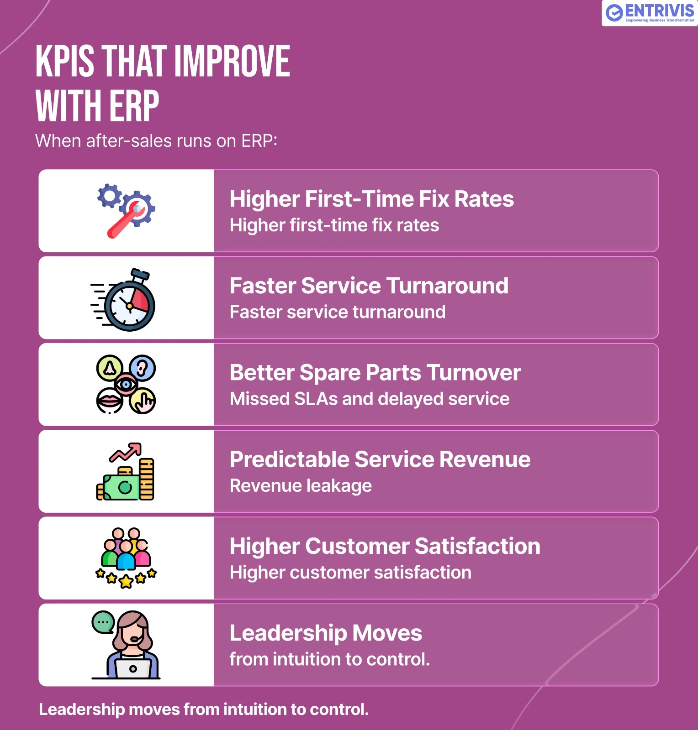
KPIs That Improve When After-Sales Runs on ERP
When after-sales operations run on ERP, performance improvements are visible in key metrics:
- Higher first-time fix rates
- Faster service turnaround times
- Improved spare parts inventory turnover
- More predictable service revenue
- Higher customer satisfaction and repeat service
Leadership gains clarity and control instead of relying on intuition.
How Entrivis Tech Helps Manufacturers Build Profitable After-Sales Systems
ERP delivers results only when it is designed around real after-sales workflows.
Entrivis Tech starts by understanding service operations, spare parts consumption, and revenue flows. Processes are mapped before configuration begins.
ERP is structured to connect service demand, inventory planning, and billing logic. After go-live, data is used to refine forecasting, service efficiency, and margins.
The result is an after-sales system that scales without forcing teams back into spreadsheets.
Common Mistakes in After-Sales ERP Implementation
Most ERP failures in after-sales are strategic, not technical.
Common mistakes include:
- Treating after-sales as a cost function only
- Planning spare parts independently of service demand
- Excluding service teams from design decisions
- Tracking costs but ignoring revenue performance
- Overlooking change management
Avoiding these mistakes early determines whether ERP delivers profitability or frustration.
Conclusion
After-sales is no longer just a support function. For manufacturers and distributors, it is a key driver of revenue, retention, and long-term profitability.
ERP enables this shift by connecting service demand, spare parts availability, and revenue tracking into one system. Stockouts reduce, service performance improves, and leadership gains clear visibility into what after-sales is truly earning.
Entrivis Tech approaches after-sales ERP with one goal: helping organizations move from reactive service operations to predictable, profitable after-sales systems that scale with confidence.
Frequently Asked Questions
Can ERP really reduce spare parts stockouts?
Yes. ERP links service demand, historical usage, and inventory planning, allowing teams to anticipate demand instead of reacting to shortages.
Is ERP suitable for after-sales and service teams?
Yes. Modern ERP systems support service requests, work orders, parts issuance, contracts, and billing.
How long does it take to see results from an after-sales ERP setup?
Operational improvements often appear within months, with revenue impact growing over time.
Can ERP handle warranties and service contracts?
Yes. ERP can automatically enforce coverage, pricing, and billing rules.

 TF 01, Raama Esquire, Laxmipura,
  hello@entrivistech.com
 +91 991 306 8606

ERP for Spare-Parts & After-Sales: How Manufacturers Reduce Stockouts and Increase Service Revenue