Many businesses want to use WhatsApp inside Odoo, but quickly run into confusion around APIs, automation limits, approval rules, and unexpected costs. What looks simple on the surface often becomes complex once real customers, teams, and compliance requirements are involved.
This guide is for sales, support, and operations teams using Odoo who want WhatsApp to work reliably in real business workflows. You will learn how Odoo WhatsApp integration actually works, what APIs are required, how automation behaves in practice, what it costs, and where most businesses make mistakes.
The goal is clarity, not hype, so you can decide the right integration approach before investing time or money.
Key Takeaway
- Odoo WhatsApp integration works through the WhatsApp Business API, not regular WhatsApp.
- Automation is powerful but limited by WhatsApp rules and template approvals.
- Costs depend on API providers, message volume, and setup complexity.
- Native, third-party, and custom integrations serve different business needs.
- The right setup depends on your workflows, scale, and compliance needs.
What Is Odoo WhatsApp Integration?
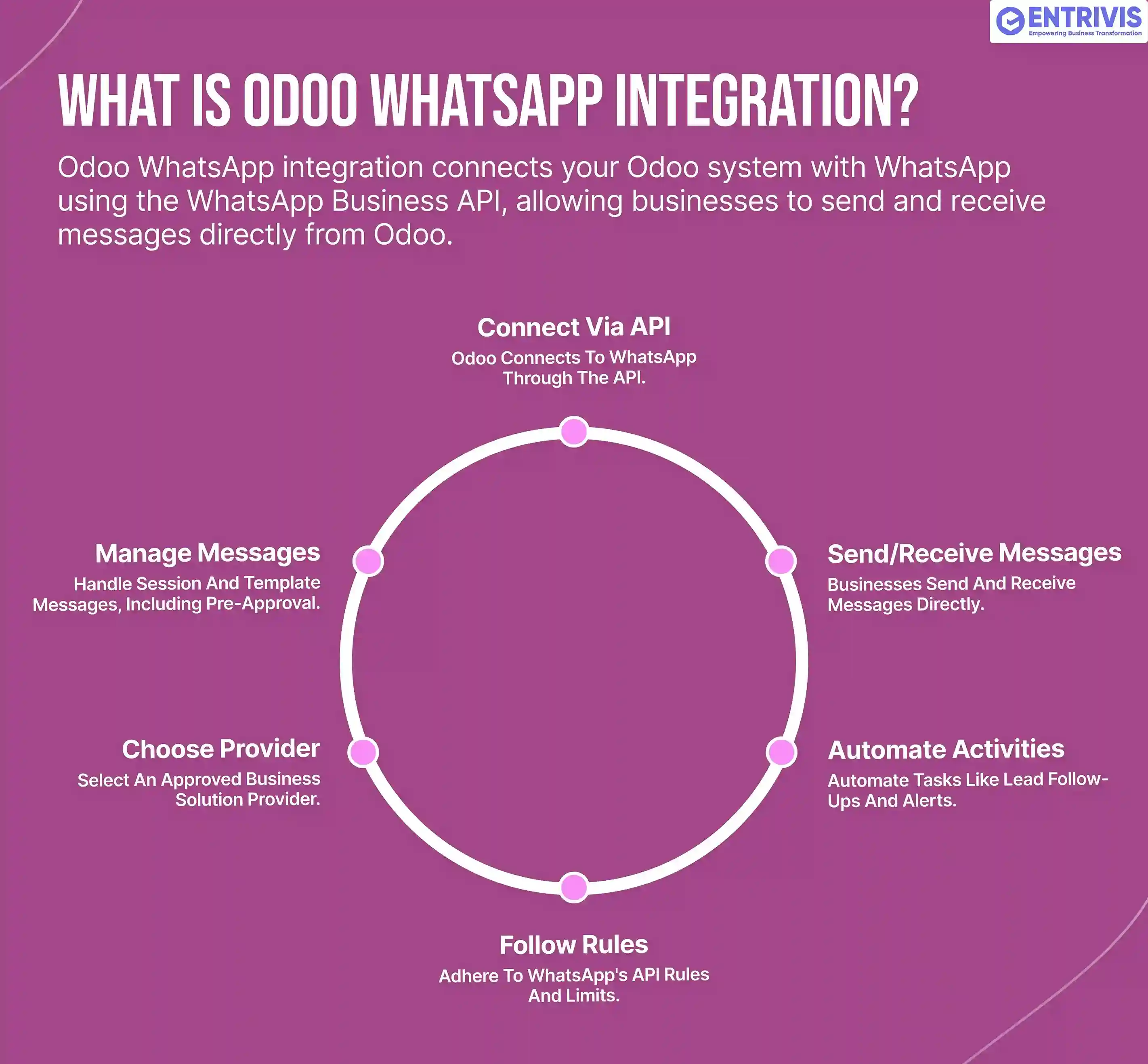
Odoo WhatsApp integration connects your Odoo system with WhatsApp using the WhatsApp Business API, allowing businesses to send and receive messages directly from Odoo.
This means WhatsApp can be used inside Odoo for activities like lead follow-ups, order updates, support notifications, and automated alerts, all linked to customer records and workflows.
What it is not: it is not a simple WhatsApp login or browser-based chat. WhatsApp integration in Odoo follows strict API rules, approval processes, and messaging limits defined by WhatsApp, which directly affect how automation and communication work.
How WhatsApp Works with Odoo (API Explained Simply)
WhatsApp does not connect directly to Odoo like email or SMS. Every Odoo WhatsApp integration works through the WhatsApp Business API, with an approved provider acting as the bridge.
WhatsApp Business API Basics
WhatsApp Business API is required for any official integration with Odoo. It is designed for businesses, not individual users, and comes with strict rules around messaging, automation, and user consent.
To use it, your business must be approved by Meta, including business verification and phone number validation. This approval step is mandatory and often underestimated.
API Providers and Their Role
Odoo does not connect directly to WhatsApp servers. Instead, it connects through an approved Business Solution Provider (BSP). The provider handles:
- API access to WhatsApp
- Message delivery and tracking
- Template approvals
- Compliance with WhatsApp policies
Your choice of provider affects cost, reliability, and available features.
Message Types and Rules
WhatsApp messaging is rule-based. There are two main message types:
- Session messages, which are replies sent within a limited time window after a customer messages you
- Template messages, which are pre-approved messages used to start conversations or send notifications
Automation in Odoo must follow these rules. Messages sent outside allowed windows or without approved templates will fail.
Key point: Most automation limitations come from WhatsApp policies, not from Odoo itself.
Ways to Integrate WhatsApp with Odoo
There is no single way to integrate WhatsApp with Odoo. The right approach depends on how much control, automation, and scalability your business needs.
Native WhatsApp Integration in Odoo
Odoo offers a built-in WhatsApp integration in recent versions.
What it supports:
- Sending messages from Odoo records
- Basic template-based communication
- Simple tracking inside Odoo
Limitations:
- Limited automation flexibility
- Dependent on Odoo’s supported features
- Not suitable for complex workflows or heavy usage
This works best for simple notification use cases.
Third-Party Modules and Apps
Many Odoo apps and modules extend WhatsApp functionality.
Advantages:
- Faster setup
- More features like bulk messaging or UI enhancements
- Lower initial effort
Risks:
- Dependency on module updates
- Compatibility issues with Odoo upgrades
- Limited control over API behavior
These are useful for short-term or controlled use but require careful evaluation for production.
Custom API-Based Integration
Custom integration connects Odoo directly to a WhatsApp API provider using tailored logic.
When it makes sense:
- Complex automation is required
- Multiple departments use WhatsApp
- High message volume or scaling is expected
- Tight CRM and workflow integration is needed
This approach offers the most control and long-term stability, but it requires proper design and experience. For businesses building WhatsApp into core operations, a structured Odoo integration approach ensures the setup is compliant, scalable, and aligned with real workflows.
WhatsApp Automation in Odoo (What You Can and Cannot Automate)
WhatsApp automation in Odoo works best when it supports clear, rule-based communication, not free-form chatting. Most limitations come from WhatsApp policies, not from Odoo itself.
What You Can Automate
Odoo can trigger WhatsApp messages based on defined business events.
Common examples:
- New lead notifications to sales teams
- Order confirmations and delivery updates
- Invoice, payment, or reminder alerts
- Support ticket status updates
These automations work reliably when they use approved message templates and are tied to clear workflow actions.
What You Cannot Automate
WhatsApp does not allow unrestricted automation.
Key limitations:
- You cannot send promotional or bulk messages freely
- Messages outside the customer response window require approved templates
- Fully automated two-way conversations are restricted
Trying to bypass these rules often leads to message failures or account restrictions.
What Most Businesses Misunderstand
Many teams expect WhatsApp to behave like email or SMS. It does not. Automation must be intentional, event-driven, and compliant. The best results come from using WhatsApp for timely, relevant updates rather than constant messaging.
Key takeaway: Effective WhatsApp automation in Odoo is about supporting workflows, not replacing human communication.
Odoo WhatsApp Integration Costs Explained
WhatsApp integration costs are often misunderstood because they are not a single fixed fee. The total cost depends on how WhatsApp’s pricing model works and how you use it inside Odoo.
WhatsApp Business API Costs
WhatsApp charges based on conversation types, not individual messages. Conversations are typically priced differently for:
- Utility messages like order or delivery updates
- Authentication messages like OTPs
- Marketing messages
The cost varies by country and resets per conversation window.
API Provider Fees
Since Odoo connects through an approved API provider, there is usually an additional cost.
This may include:
- Monthly platform or hosting fees
- Per-message or per-conversation markup
- Template management and reporting features
Different providers offer different pricing models, which directly affects your monthly spend.
Setup and Integration Costs
Beyond messaging fees, there is an initial setup cost.
This can include:
- WhatsApp Business API onboarding and approval
- Odoo configuration or module setup
- Custom automation or workflow mapping
Custom integrations cost more upfront but often reduce long-term limitations.
What Most Businesses Miss
Low message volume may look cheap at first, but costs grow quickly with scale, automation, and multiple departments using WhatsApp. Planning usage early helps avoid surprises later.
Key takeaway:
WhatsApp integration cost is predictable when planned correctly, but expensive when treated as an afterthought.
Want a clear idea of what WhatsApp integration will cost for your business? Contact Entrivis Tech Pvt Ltd to get a customized cost estimate based on your Odoo workflows and message volume.
Real Business Use Cases by Department
Odoo WhatsApp integration delivers the most value when it is tied to specific team workflows, not generic messaging. Below are practical ways businesses actually use it across departments.
Sales Teams
Sales teams use WhatsApp to respond faster and keep leads warm.
Typical use cases include sending lead acknowledgements, sharing quotations, following up on inquiries, and updating prospects on deal status. Messages are logged against CRM records, giving sales teams full visibility without switching tools.
Customer Support
Support teams rely on WhatsApp for timely, contextual communication.
Common examples are ticket creation confirmations, status updates, resolution notifications, and follow-ups after closure. Because messages are linked to helpdesk tickets, agents can track conversations and avoid duplicate responses.
Operations and Logistics
Operations teams use WhatsApp to reduce delays and confusion. This includes order confirmations, delivery updates, shipping notifications, and delay alerts. Automated messages triggered from Odoo workflows help keep customers informed without manual intervention.
Finance and Accounts
Finance teams use WhatsApp selectively for critical updates. Typical use cases are invoice notifications, payment reminders, and confirmation messages. These are usually template-based and event-driven to stay compliant with WhatsApp policies.
Key insight:
WhatsApp works best in Odoo when each department uses it for timely, relevant updates, not constant messaging. Clear ownership and workflow design are what turn WhatsApp into a business tool instead of noise.
Common Mistakes and Limitations Businesses Face
- Assuming WhatsApp works like email or SMS
WhatsApp is permission-based and rule-driven, with strict messaging windows and template requirements. - Ignoring WhatsApp Business API compliance
Skipping Meta verification, template approval, or provider selection delays or blocks integration. - Underestimating ongoing costs
Message-based pricing increases quickly with automation and multi-team usage. - Poor automation design
Too many or poorly timed messages reduce engagement and can affect WhatsApp quality ratings. - Expecting full chatbot-style automation
WhatsApp limits fully automated conversations and promotional messaging.
What to Do Next
If you want WhatsApp to work reliably inside Odoo, the next step is not experimenting with modules or guessing API costs.
Entrivis Tech Pvt Ltd helps businesses design, integrate, and scale WhatsApp inside Odoo based on real workflows, compliance requirements, and usage volume. From choosing the right API provider to building automation and controlling costs, the focus is on a setup that works in production, not just on paper.
If you need a custom integration approach or a clear cost estimate, contact Entrivis Tech Pvt Ltd to discuss your requirements and get a solution tailored to your business.
FAQs About Odoo WhatsApp Integration
1. Do I need WhatsApp Business API to integrate with Odoo?
Yes. Odoo WhatsApp integration works only through the WhatsApp Business API. Regular WhatsApp or WhatsApp Web cannot be used for official integrations.
2. Can I send bulk messages from Odoo using WhatsApp?
Bulk messaging is restricted. You can send approved template messages, but promotional or unsolicited bulk messages are not allowed.
3. Is Odoo WhatsApp integration free?
No. Costs include WhatsApp conversation charges, API provider fees, and integration or setup costs.
4. Can WhatsApp messages be automated in Odoo?
Yes, but only for rule-based, event-driven workflows such as order updates or support notifications. Full chatbot-style automation is limited.
5. Is WhatsApp integration suitable for large teams?
Yes, when designed properly. Large teams require structured workflows, message controls, and monitoring to stay compliant and cost-efficient.