Demo data in Odoo 18 helps users quickly understand features, workflows, and module behavior without setting up real business data. It is commonly used during evaluation, training, and early testing phases, but it is also one of the most misunderstood parts of Odoo setup.
Many users enable demo data without knowing when it is appropriate or how it affects later implementation. Used correctly, demo data speeds up learning. Used incorrectly, it can create confusion and problems during go-live.
This guide explains what demo data is in Odoo 18, how to load it correctly, when to use it, and when to avoid it, so you can set up your Odoo environment the right way from the start.
Key Takeaway
- Demo data in Odoo 18 is meant for evaluation, training, and testing only.
- It should always be enabled during installation, not in live systems.
- Demo data helps users understand workflows but should not be treated as real business data.
- Cleaning or removing demo data later is limited and often requires reinstallation.
- Proper planning avoids confusion when moving toward a real implementation.
What Is Demo Data in Odoo 18?
Demo data in Odoo 18 is preloaded sample information that comes with certain modules to showcase how features and workflows work. It includes example products, customers, orders, invoices, and configurations that help users explore the system without entering real data.
This data is designed to demonstrate functionality, not to reflect actual business operations. It helps new users understand module behavior, navigation, and process flow during evaluation or training.
Demo data is different from real test data. While demo data is generic and fixed, test data is usually created to match a company’s real scenarios and is used during implementation and user acceptance testing.
When Should You Use Demo Data in Odoo?
Demo data is useful when the goal is to understand Odoo quickly without spending time setting up real data. It works best in early, non-production stages where learning and exploration are the priority.
Common situations where demo data makes sense include product evaluation, user training, proof-of-concept setups, and initial functional testing. It allows teams to explore modules, workflows, and reports using ready-made examples.
When deciding whether demo data is appropriate or if real test data is required, expert Odoo consulting can help choose the right approach based on your goals and implementation stage.
When You Should NOT Use Demo Data
Demo data should never be used once you move beyond evaluation or training. In live or near-live environments, it often creates confusion and interferes with real business processes.
You should avoid demo data in production databases, during actual implementations, and when preparing for data migration from an existing system. Demo records can mix with real data, affect reports, and make validation difficult.
In projects involving legacy data or system transitions, using clean environments with real migrated data is essential. This is where structured Odoo migration becomes important to ensure accuracy, continuity, and a smooth go-live.
How to Load Demo Data During Odoo 18 Installation
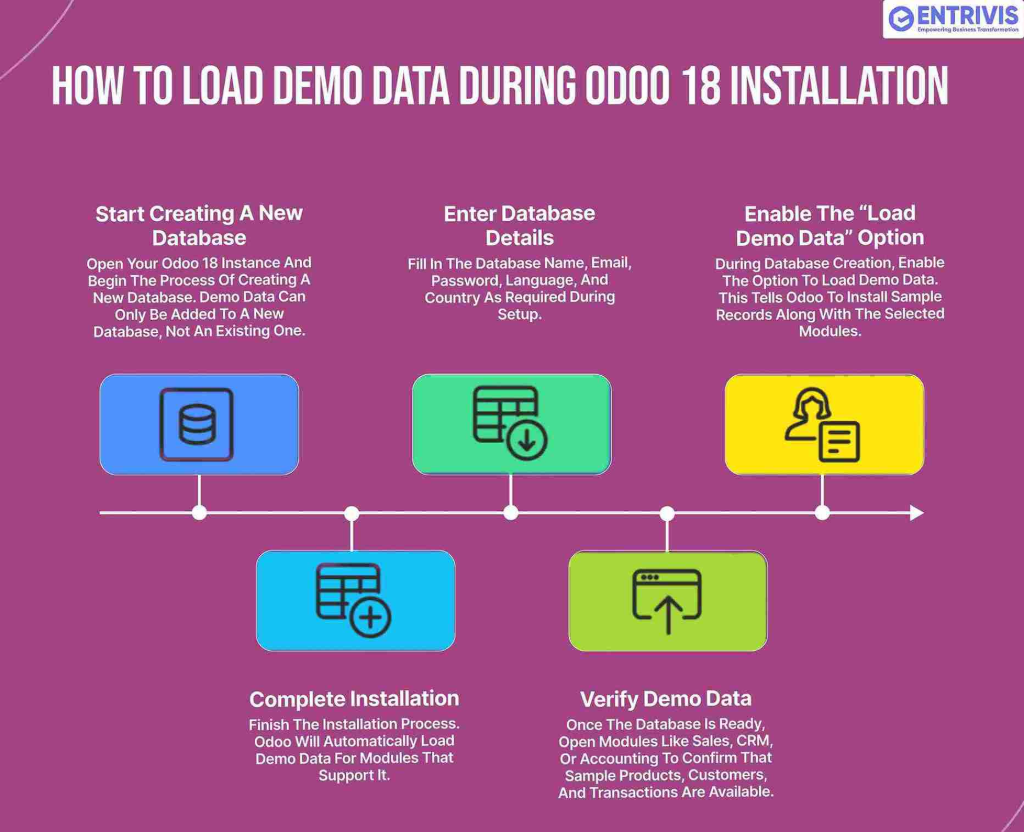
Step 1: Start Creating a New Database
Open your Odoo 18 instance and begin the process of creating a new database. Demo data can only be added to a new database, not an existing one.
Step 2: Enter Database Details
Fill in the database name, email, password, language, and country as required during setup.
Step 3: Enable the “Load Demo Data” Option
During database creation, enable the option to load demo data. This tells Odoo to install sample records along with the selected modules.
Step 4: Complete Installation
Finish the installation process. Odoo will automatically load demo data for modules that support it.
Step 5: Verify Demo Data
Once the database is ready, open modules like Sales, CRM, or Accounting to confirm that sample products, customers, and transactions are available.
Important notes:
- Demo data must be enabled during installation
- It cannot be cleanly added later
- Demo data should never be used in production databases
Can You Load Demo Data After Installation?
In most cases, demo data cannot be safely loaded after Odoo 18 has already been installed. Odoo is designed to add demo data only at the time of database creation.
While some technical methods exist to force demo data into an existing database, they are not recommended. These approaches can create inconsistent records, break dependencies between modules, and make the database unstable.
If demo data is required after installation, the safest option is usually to create a new database with demo data enabled and use it specifically for training or evaluation.
Key takeaway: Plan demo data usage early. Trying to add it later often creates more problems than it solves.
Demo Data vs Real Test Data
Demo data and real test data serve very different purposes in Odoo, and confusing the two often leads to poor implementation decisions.
Demo data is generic and preconfigured. It helps users understand features, navigation, and standard workflows, but it does not reflect how your business actually operates. It is best suited for exploration and basic training.
Real test data is created to match your actual business scenarios. It includes your own products, customers, pricing, taxes, and workflows. This type of data is used during implementation, user acceptance testing, and process validation.
For serious projects, relying on real test data leads to better decisions and a smoother go-live. This is why structured Odoo implementation focuses on building clean test environments that mirror real operations, rather than depending on demo records.
Demo Data vs Real Test Data
Demo data and real test data serve very different purposes in Odoo, and confusing the two often leads to poor implementation decisions.
Demo data is generic and preconfigured. It helps users understand features, navigation, and standard workflows, but it does not reflect how your business actually operates. It is best suited for exploration and basic training.
Real test data is created to match your actual business scenarios. It includes your own products, customers, pricing, taxes, and workflows. This type of data is used during implementation, user acceptance testing, and process validation.
For serious projects, relying on real test data leads to better decisions and smoother go-live. This is why structured Odoo implementation focuses on building clean test environments that mirror real operations, rather than depending on demo records.
Common Mistakes When Using Demo Data in Odoo
- Using demo data in implementation or production databases: Demo records mix with real data and affect reports and validations.
- Training users only on demo workflows: Demo processes are generic and may not reflect real business operations.
- Forgetting to reset the database before go-live: Leaving demo data can cause issues in accounting, inventory, and compliance.
- Assuming demo data can be easily removed later: Cleaning demo data often requires database recreation.
Key takeaway: Demo data should be used only for learning and evaluation, not for real business setup.
What to Do Next
If you are only evaluating Odoo or training your team, demo data can help you get started quickly. But once you move toward real implementation, using the right data and setup becomes critical.
Entrivis Tech Pvt Ltd helps businesses set up clean Odoo environments for evaluation, testing, and production. Whether you need guidance on using demo data correctly, building realistic test databases, or planning a full implementation, expert support can prevent costly mistakes later.
If you want to move from demo data to a reliable, production-ready Odoo system, contact Entrivis Tech Pvt Ltd to discuss the right next steps for your project.
FAQs About Demo Data in Odoo 18
1. Is demo data safe to use in production?
No. Demo data is not meant for production use. It can interfere with real records, reporting, and validations.
2. Can demo data be removed after installation?
Not cleanly. In most cases, removing demo data requires recreating the database.
3. Does demo data load for all Odoo modules?
No. Demo data is available only for modules that include predefined demo records.
4. Is demo data useful for user training?
Yes, but only for basic understanding. Real training should eventually use data that matches actual business workflows.
5. Can demo data affect performance?
Yes. Large demo datasets can impact performance, especially if left in long-running databases.