Walk into most warehouses in India, and you'll find a familiar scene. Somewhere there's a whiteboard with handwritten stock levels, a folder full of delivery challan copies, and at least one person whose job is essentially to know where everything is because the system doesn't. Stock counts happen at month-end, and everyone dreads them. Orders get delayed because items that were supposed to be in Bay 3 aren't actually there.
This isn't a people problem. It's a systems problem.
Odoo warehouse management changes this picture not by adding complexity, but by replacing manual processes with structured, automated ones. The Odoo warehouse management system is part of the broader Odoo ERP, which means it connects to your purchasing, sales, accounting, and manufacturing operations rather than sitting in isolation. That connection is what makes it genuinely useful, not just another tool to maintain.
In this article, we'll walk through how Odoo handles warehouse operations from basic inventory tracking to advanced picking strategies, barcode scanning, and multi-warehouse setups, and what the real-world difference looks like for businesses that implement it properly.
What the Odoo Warehouse Management System Actually Does
At its core, the Odoo warehouse management system tracks every movement of stock from supplier receipt to internal transfer to customer delivery. Every item knows where it is, where it came from, and where it's going.
But the system goes beyond simple tracking. Odoo's inventory module includes:
- Locations and sub-locations: Your warehouse isn't just one space. Odoo lets you define specific locations, aisles, racks, shelves, bins, and track stock at that level of granularity. You always know that Item X is in Rack B, Shelf 3, not just "somewhere in the warehouse."
- Routes and rules: Odoo uses the concept of routes to define how products move through the warehouse. A route tells the system: when this product is purchased, receive it here; when it's sold, pick it from here and stage it there. You configure these once, and the system follows them automatically.
- Push and pull flows: Incoming goods can be automatically directed to specific locations based on rules, a concept called putaway. Outgoing orders can trigger the replenishment of a picking zone from bulk storage automatically. This is where the "automation" part becomes real.
- Reordering rules: When the stock of a product drops below a defined minimum, Odoo can automatically generate a purchase order or a manufacturing order. No one has to monitor stock levels manually or remember to reorder; the system handles it.
How Odoo Automates the Picking and Packing Process
Order fulfillment is where warehouse efficiency is won or lost. When a sales order is confirmed in Odoo, the system generates a picking operation automatically, a list of items to collect, where they are, and in what quantity.
Three-Step and Two-Step Operations
Odoo supports different fulfillment configurations depending on how your warehouse operates.
A simple two-step operation might look like: pick the items, then ship. A three-step operation adds a packing stage: pick items, bring them to a packing area, consolidate and pack, then ship. Odoo manages each stage as a separate operation with its own location and confirmation step, so nothing gets shipped before it's actually been checked and packed.
These configurations aren't just theoretical; they map directly to how warehouse teams physically work. Implementing them in the system creates accountability at each stage and makes it easy to see where a particular order is in the process at any given moment.
Batch Picking and Wave Picking
For warehouses processing high order volumes, Odoo supports batch picking, where a single warehouse operative collects items for multiple orders in one trip through the warehouse. Instead of walking the same aisle three times for three separate orders, you walk it once and collect for all three simultaneously.
Wave picking takes this further, grouping batches by zone or by shift to optimise warehouse traffic flow. For distribution centres handling hundreds of daily orders, this kind of optimisation directly reduces labour time per order.
Barcode Scanning
Odoo has a dedicated barcode scanning interface that works with standard handheld scanners or even mobile phones. When a warehouse operative receives a shipment, they scan each item to confirm receipt. When picking an order, they scan the item and location to confirm it's the right product from the right place.
This eliminates a category of errors that manual processes can never fully prevent: wrong item picked, wrong quantity shipped, and wrong location updated. The scan confirms or rejects in real time, and the operative knows immediately if something doesn't match.
Multi-Warehouse and Multi-Location Management in Odoo
For businesses operating more than one warehouse, whether across cities in India or across countries, Odoo's multi-warehouse capability is one of its strongest features.
Each warehouse in Odoo has its own receiving, storage, and shipping locations. Inter-warehouse transfers are handled as standard operations. A transfer is requested from one warehouse, picked and dispatched from the source, and received at the destination. The stock levels at both locations update in real time.
Businesses with a central distribution warehouse and regional fulfillment locations use this to manage replenishment automatically when regional stock drops below a threshold, an inter-warehouse transfer is triggered from the central facility. No manual coordination required.
For manufacturing businesses with a factory warehouse and a finished goods warehouse, Odoo tracks production inputs and outputs across both, keeping the accounting of stock movements accurate throughout the production process.
If your operations span multiple sites and you're trying to get a single, coherent view of inventory across all of them, this is exactly the kind of setup an Odoo implementation partner will help you configure correctly from the start.
Connecting Odoo Warehouse Management to the Rest of Your Business
This is the part that standalone warehouse management tools simply can't replicate.
When your Odoo warehouse management system is part of the full Odoo ERP, every stock movement has a financial consequence that's automatically recorded. Goods received against a purchase order update both the inventory value and the accounts payable position. Stock delivered against a sales order updates revenue and the accounts receivable position. Goods moved between locations are tracked for costing purposes.
For manufacturing companies, the connection goes further. When a manufacturing order is confirmed, the raw materials required are automatically reserved in the warehouse. When production is complete, finished goods are added to stock. The entire material flow from raw material receipt through production to finished goods dispatch is tracked and costed within one system.
For Indian businesses managing GST compliance, the integration between Odoo's inventory and accounting modules means that stock movements trigger the correct accounting entries, HSN code tracking is maintained, and e-way bill generation is tied to actual dispatch operations rather than managed separately.
Working with a team experienced in Odoo development means these connections can be customised further, whether that's integrating with third-party logistics APIs, connecting barcode systems to specific hardware, or building custom reports for management dashboards.
The Real Problems Odoo Warehouse Management Solves
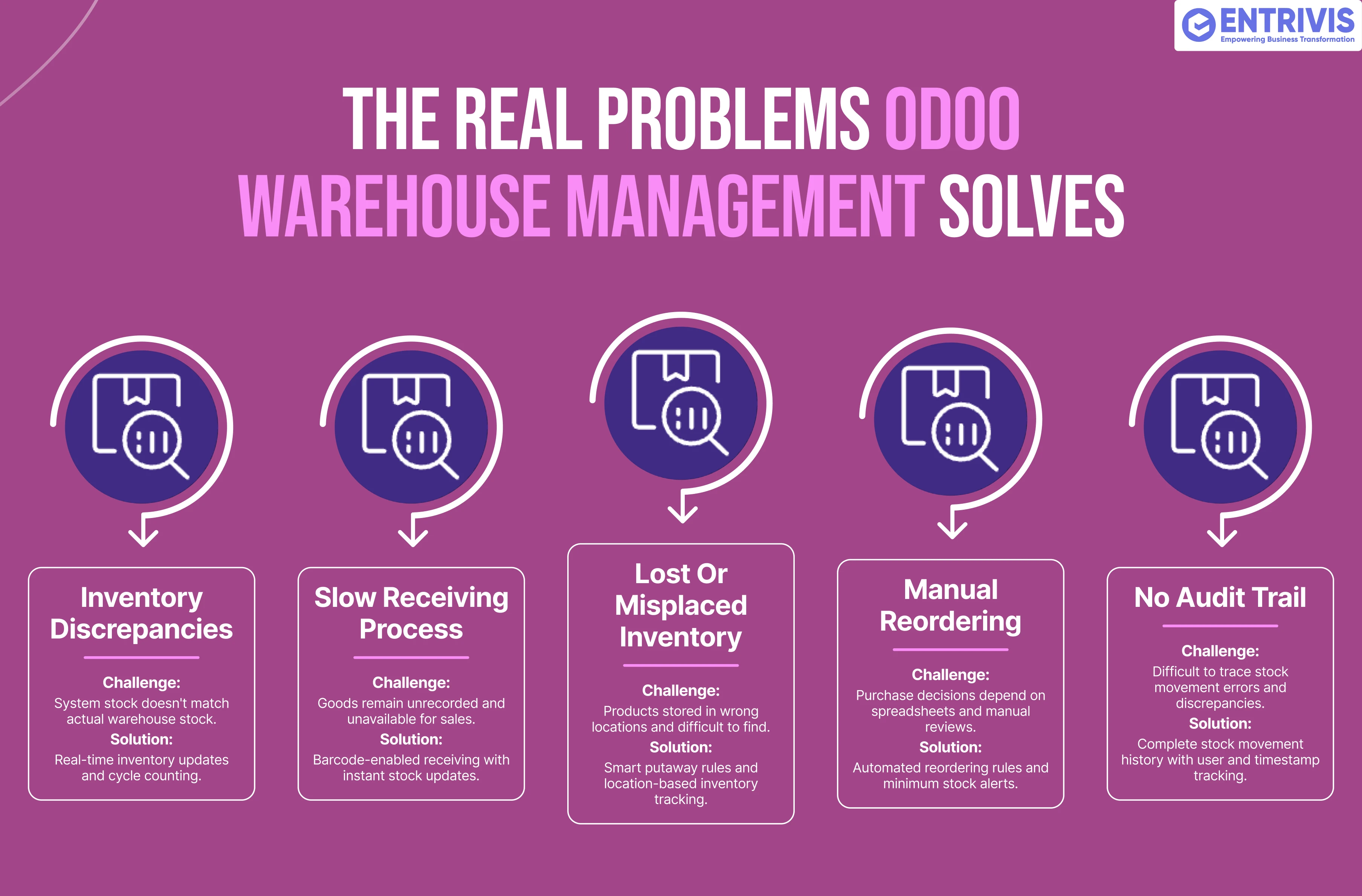
Let's be specific about what typically breaks in warehouse operations that aren't running on a proper system, because these are the things that actually cost businesses money.
Inventory discrepancy - The system says 200 units are in stock. A sales rep promises a customer a delivery. The warehouse team goes to pick it and finds 140. The discrepancy existed for weeks, nobody caught it, and now there's a delayed order and an unhappy customer. Odoo's real-time stock updates and cycle counting features make these surprises much less likely.
Slow receiving Process - Goods sit at the loading dock for hours before they're entered into the system because the receiving process is manual. Meanwhile, the system still shows them as "on order," and the sales team can't commit to using that stock. With Odoo's guided receiving and barcode confirmation, goods are in the system as they're physically received.
Lost or Misplaced Inventory - Items get put away in the wrong location and effectively disappear until someone physically stumbles across them during a stock count. Odoo's putaway rules direct items to defined locations, and location-specific stock views show exactly what's where.
Manual reordering - Someone has to review stock levels, decide what needs ordering, raise purchase requests, and get approvals, and this process often runs on memory and gut feel. Odoo's reordering rules and minimum stock level triggers make this systematic and automatic.
No audit trail - Something goes wrong, a shipment is short, a product is returned damaged, or stock doesn't reconcile. Without a system that logs every movement, tracking down what happened is difficult and time-consuming. Odoo maintains a complete history of every stock move, who performed it, and when.
If you want to understand how these specific issues apply to your current warehouse setup, an Odoo consulting session is a practical first step. It's a chance to map your current processes against what Odoo can automate before committing to an implementation.
What Implementing Odoo Warehouse Management Actually Involves
Setting up an Odoo warehouse management system isn't complicated, but it does require thoughtful configuration. The decisions you make during setup, such as how locations are structured, which routes are configured, and how reordering rules are set, shape how the system behaves day to day.
Businesses migrating from a previous WMS or from manual processes need to start with accurate opening stock counts. There's no point automating a system that starts with wrong numbers. This is also a good moment to restructure locations logically if the physical warehouse is being reorganised.
Training is genuinely important here. Warehouse operatives who are scanning barcodes and following system-generated pick lists need to be comfortable with the workflow before go-live, and the system needs to reflect how they actually work, not an idealised version of it. A good Odoo training programme builds this confidence methodically.
For businesses already running Odoo but on an older version, Odoo migration to a current version may be necessary to access some of the more advanced warehouse features that have been introduced in recent releases.
Post go-live, having Odoo support available means that when something doesn't work as expected and in a warehouse environment, operational issues need quick resolution; there's expertise on call rather than just a support ticket queue.
Frequently Asked Questions About Odoo Warehouse Management
What is Odoo warehouse management?
It's an ERP module that tracks stock movements, manages locations, automates picking and replenishment, and connects inventory to finance and sales.
Can Odoo manage multiple warehouses?
Yes, Odoo supports multiple warehouses with separate locations, routes, and stock levels, all visible from a central dashboard.
Does Odoo support barcode scanning for warehouse operations?
Yes. Odoo has a built-in barcode scanning interface compatible with standard scanners and mobile devices for receiving, picking, and transferring.
What is putaway in Odoo warehouse management?
Putaway rules automatically direct incoming stock to specific warehouse locations based on product category, supplier, or other criteria.
Can Odoo automatically generate purchase orders when stock runs low?
Yes. Reordering rules trigger purchase or manufacturing orders automatically when stock drops below a defined minimum level.
Does Odoo warehouse management integrate with accounting?
Yes. Every stock movement in Odoo generates the corresponding accounting entry automatically, keeping inventory valuation current in real time.
What is batch picking in Odoo?
Batch picking groups multiple sales orders into a single picking operation, allowing one operative to collect items for several orders in one warehouse run.
Can Odoo track serialised or lot-controlled items?
Yes. Odoo supports serial number and lot tracking, including full traceability from supplier receipt to customer delivery.
Is Odoo warehouse management suitable for manufacturing companies?
Absolutely. Odoo connects warehouse management to manufacturing orders, tracking raw material consumption and finished goods production within the same system.
How does Odoo handle stock discrepancies found during counting?
Odoo's inventory adjustment feature allows stock levels to be corrected, with the difference automatically posted to an inventory adjustment account in the books.
From Organised Chaos to Actual Control: The Difference a Proper System Makes
Most warehouse operations don't fail because people aren't trying hard enough. They struggle because manual processes and disconnected systems create gaps that even diligent teams can't fully close. Stock discrepancies, fulfillment delays, invisible reorder points, and inaccurate financial records are system failures, not people failures.
Odoo warehouse management gives businesses a platform where stock is tracked accurately, movements are automated, picking is guided, and every operation connects to the financial and commercial data that management needs to make decisions. It's not the most glamorous part of an ERP implementation, but it's often the one with the most direct impact on operational efficiency and customer satisfaction.
If your warehouse is due for a better system or if you're planning a new facility and want to get the setup right from the beginning, Entrivis Tech works with businesses across India on Odoo implementations that include warehouse configuration, integration, training, and ongoing support. You can also book a free Odoo demo to see the warehouse module in action before making any decisions.